Welcome to the WinVMJ Composer Plugin Tutorial
This tutorial will guide you through building your first project using the WinVMJ Composer within FeatureIDE. By the end, you'll have created a basic "Hello World" software product line using the Delta-Oriented Programming approach.
The initial phase in developing your product line is domain engineering, where you define the features your product will include. This allows for modular and flexible product development. For additional information on software product line engineering and how WinVMJ implements these concepts, please refer to the documentation available via the help button in the plugin.
Let’s get started! If you run into issues, you can access the final result by navigating to File -> New -> Example in Eclipse’s menu, where you’ll find the relevant "Hello World" projects and examples.
Open the FeatureIDE Perspective
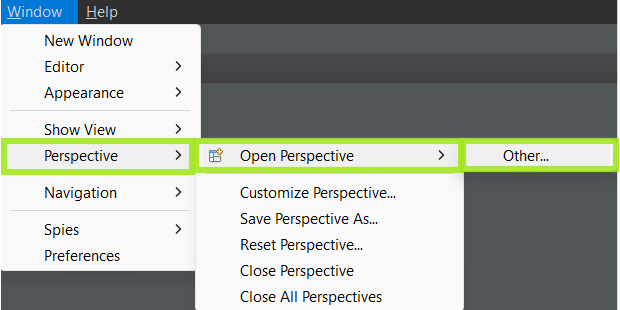
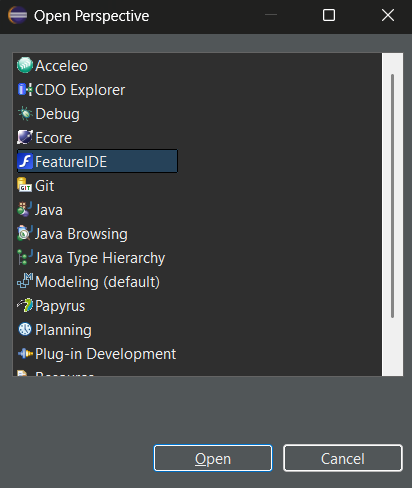
When using FeatureIDE with the WinVMJ Composer, it’s best to activate the FeatureIDE perspective. You can switch the active perspective by using the button in the upper right corner of the workbench or by going to Window -> Open Perspective -> Other... and selecting FeatureIDE.
Create a New FeatureIDE Project
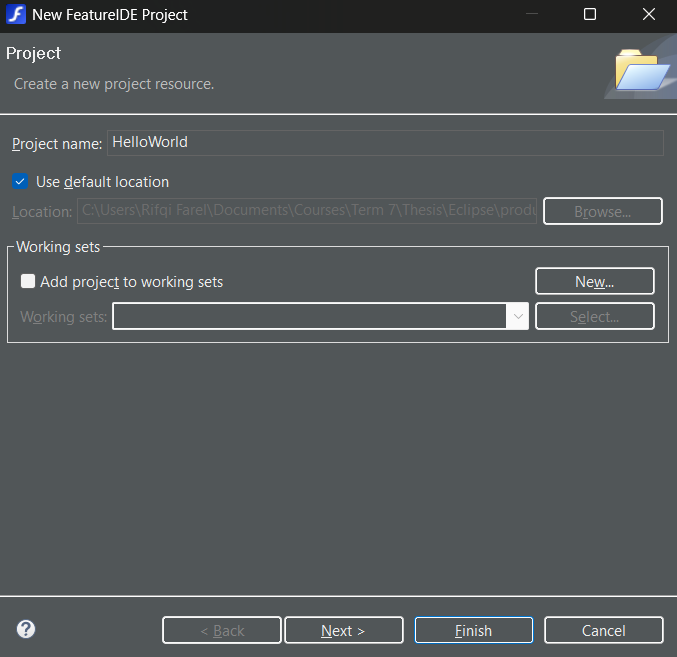
To create a new project, navigate to File -> New and select the FeatureProject wizard. On the next page, choose a project name, such as "HelloWorld", and make sure to select WinVMJ from the Composer dropdown. Close the wizard by clicking Finish.
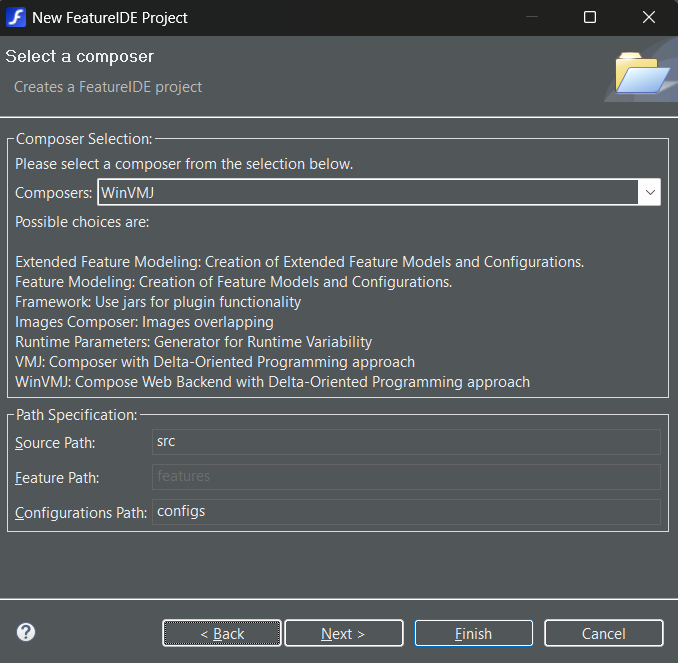
Tip: In the wizard, you can select different composition engines. For this tutorial, ensure that you select WinVMJ as your composition engine, as it is crucial for the following steps.