UML to WinVMJ User Guide
Guide on creating UML projects and applying UML-DOP profiles in Papyrus within Eclipse.
Plugin Installation
- On the top toolbar, click Help → Install New Software.
- In the "Work with" field, add https://amanah.cs.ui.ac.id/priceside/uml-to-winvmj/staging/, click Add, and save with the name UML to WinVMJ.
- Open the drop-down menu and select UML to WinVMJ update site.
- Select UML to WinVMJ, click Next, approve all licenses, and then click Finish.
Creating a UML Project in Eclipse
- In Eclipse, go to New > Other > Papyrus Project.
- Select Checklist UML.
- Enter the desired Project Name.
- Choose Checklist Class Diagram.
- Click Browse Registered Profiles and select UML-DOP Profile.
- Click Finish to complete setup.
Refer to the Papyrus Tutorial for more information on creating UML diagrams.
Applying UML-DOP Profile
- Select the class you wish to edit.
- In the Properties menu, go to the Profile section.
- Click + in the Applied stereotypes area.
- Choose the applicable stereotypes, then click → to apply them.
- Click OK to save your changes.
Generating WinVMJ Modules
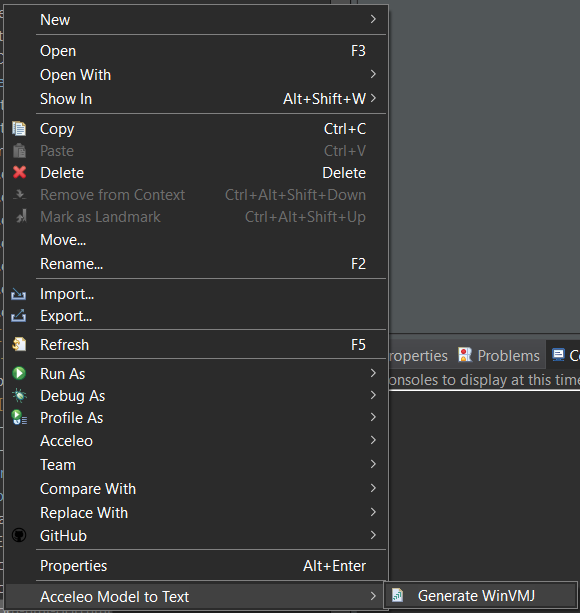
- Right-click on the UML model within your project.
- Select Acceleo Model to Text from the context menu.
- Click Generate WinVMJ.
- Check the src-winvmj folder in your project; the WinVMJ files will be generated here.
- To use these modules in WinVMJ Project, copy the src-winvmj folder contents into the modules directory of your WinVMJ Project.
Example
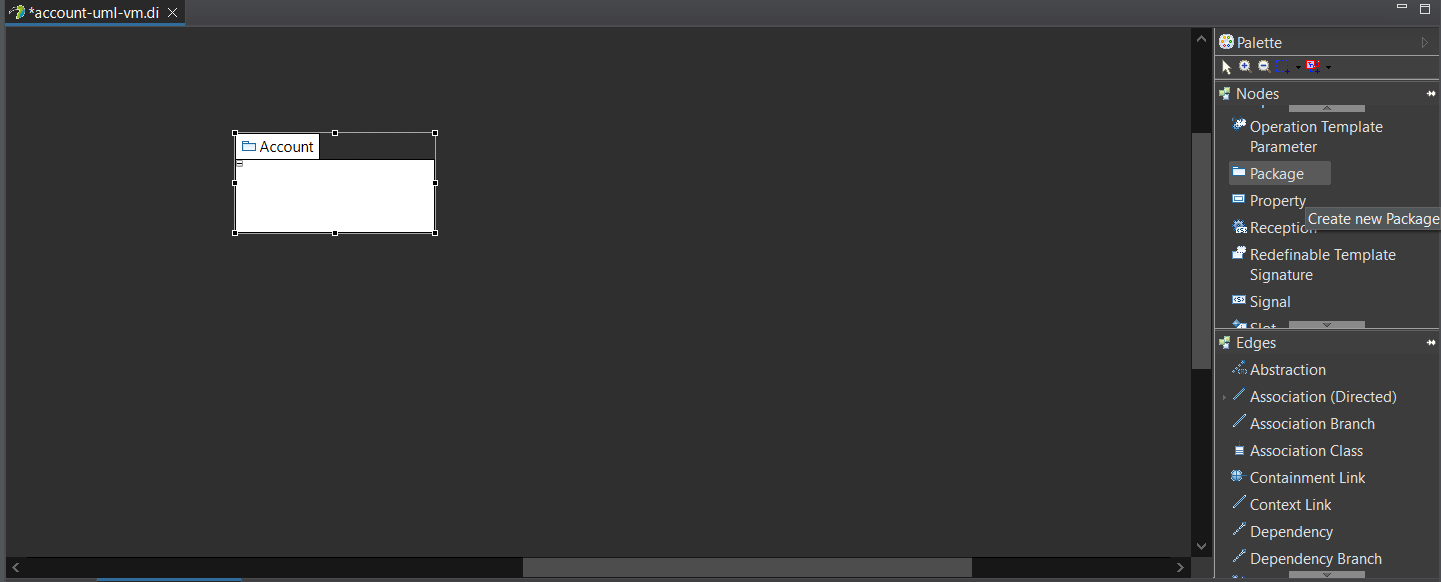
- After setting up the project, open the modeling file (.di extension).
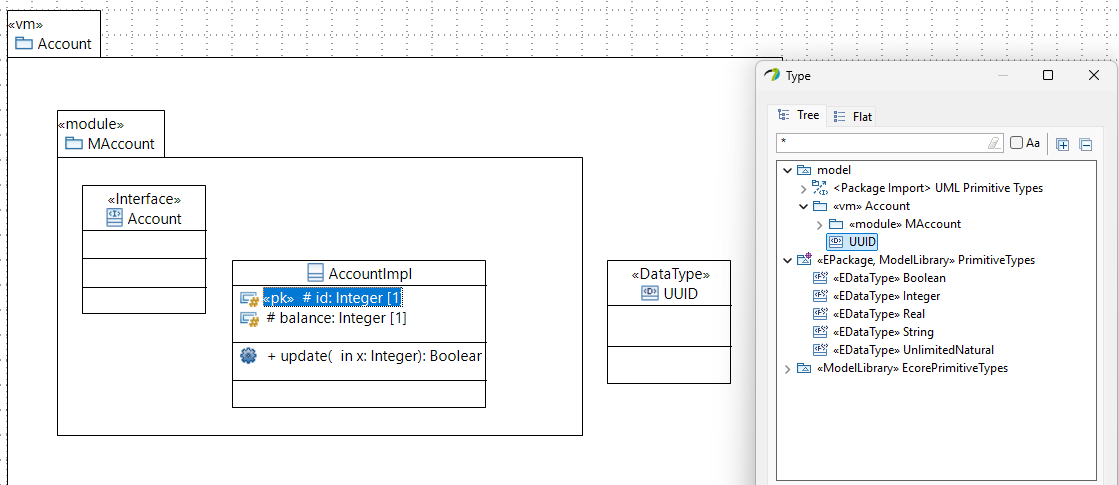
- Start with creating a package.
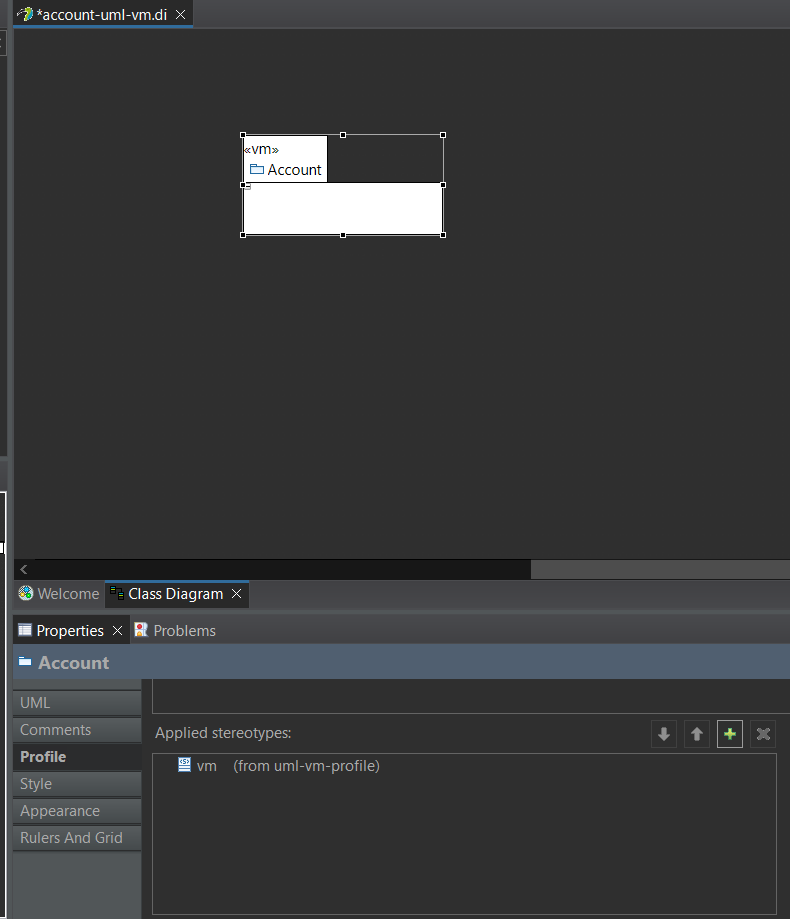
- Add the «vm» stereotype to the package.
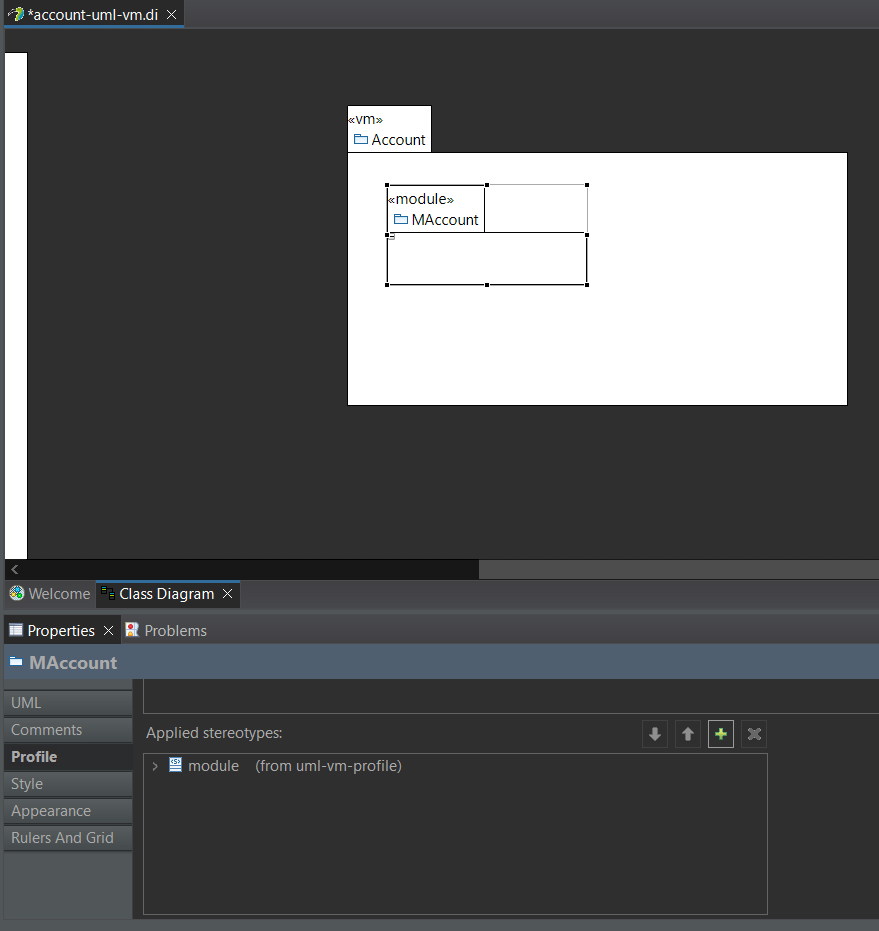
- To create a core module, add a package with stereotype «module». The package name should be prefixed with M (e.g., MXyz, MAbc, etc.)
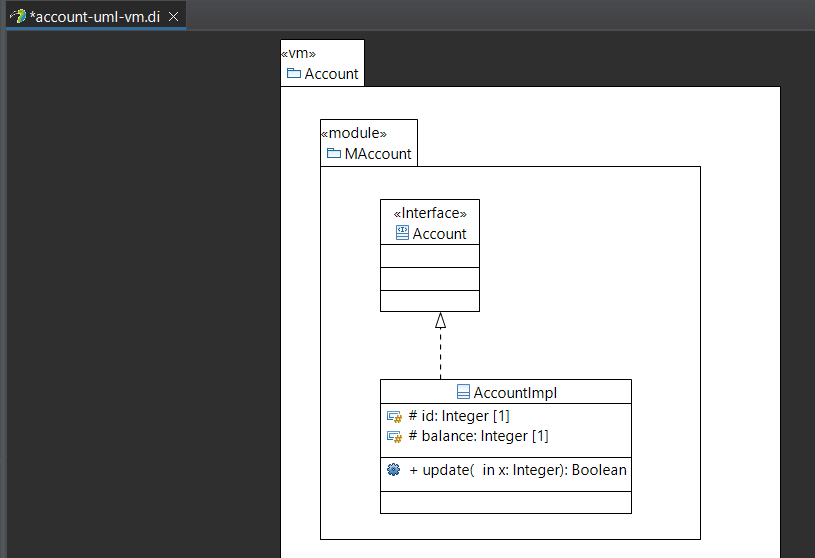
- Add interfaces and classes, properties, and operations to the package. The class should implement the interface using the Interface Realization. The class name should be in form of InterfaceNameImpl (e.g., AbcImpl, XyzImpl).
- To add a primary key to a class, use the «pk» stereotype on the property that should act as the primary key.
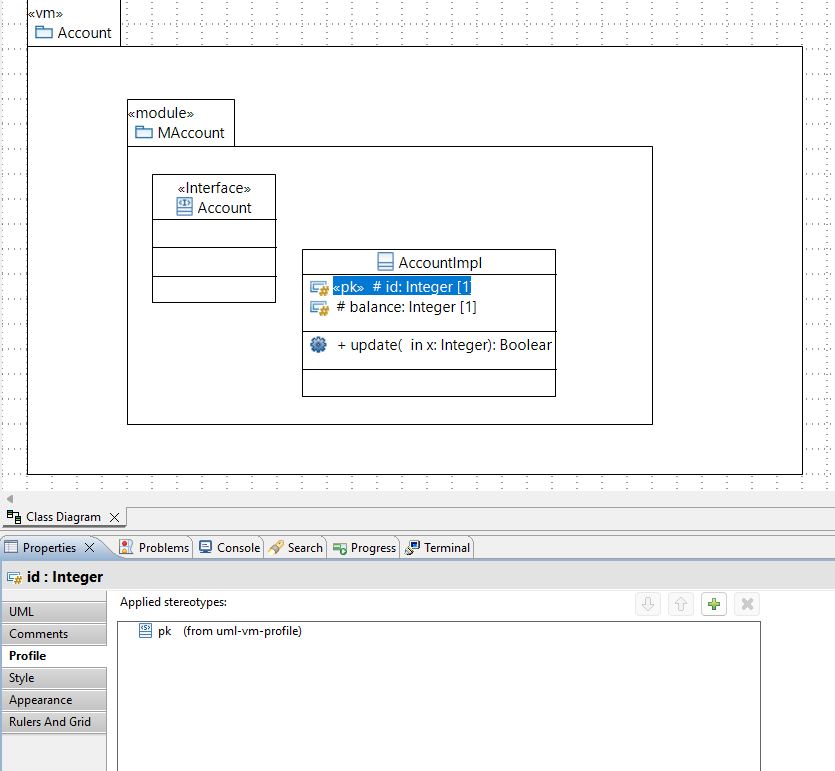 Optionally, you can add UUID as datatype and then you can apply it like the following.
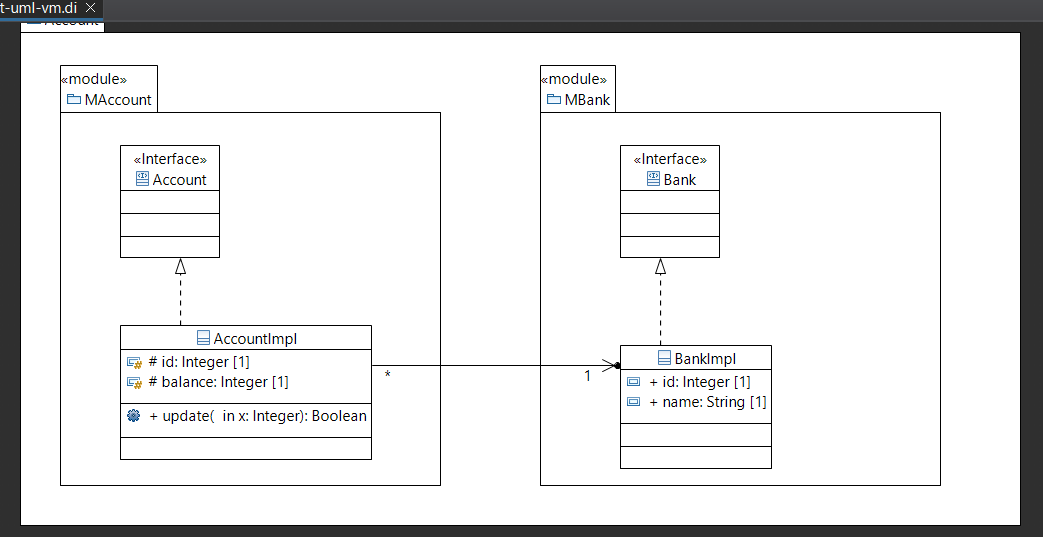
 - Relation between classes can be made using the Association (Directed) edge.
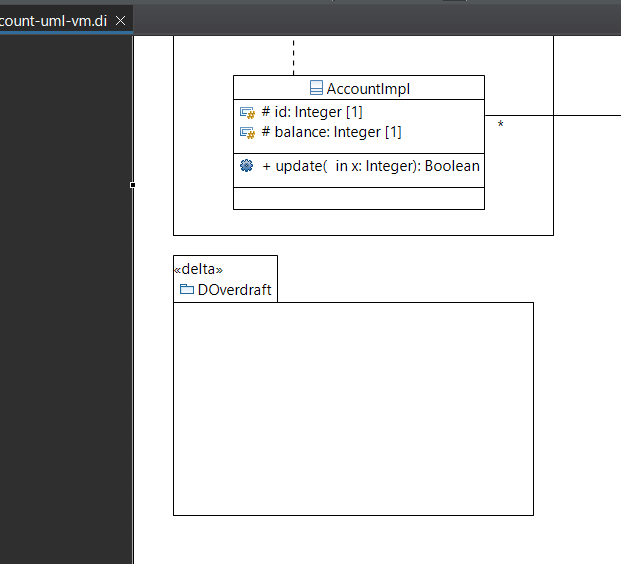
- To create a delta module, add a package with stereotype «delta». The package name should be prefixed with D (e.g., DZyx, DCba, etc.)
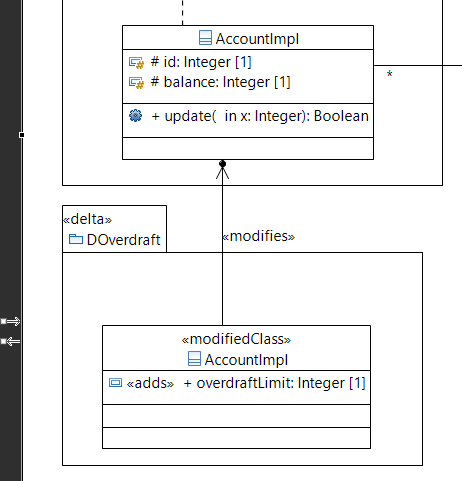
- To create a class modification, create a class with stereotype «modifiedClass». Add a relation using the Association (Directed) edge with stereotype «modifies» between the class in the delta module and core module. Add properties or operations with stereotypes to model the modification of the class.